ORG 24: Your Music
Sofeh SunriseMusic & Audio
4.46.03K Reviews
- Version
- 2026.06.20
- Installs
- 100.00M
- Age Rating
- Everyone
Screenshots
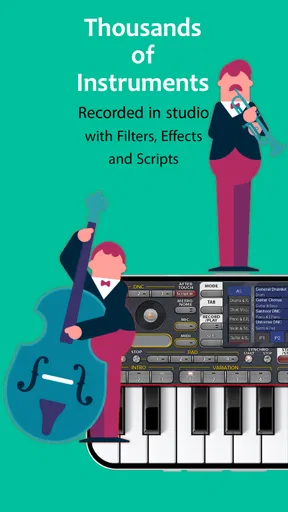
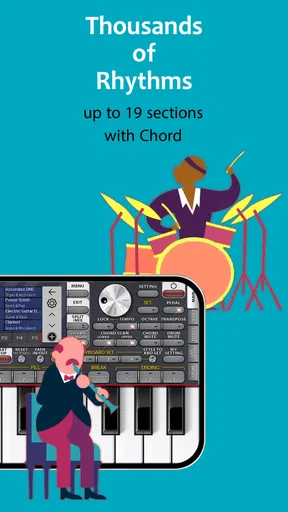
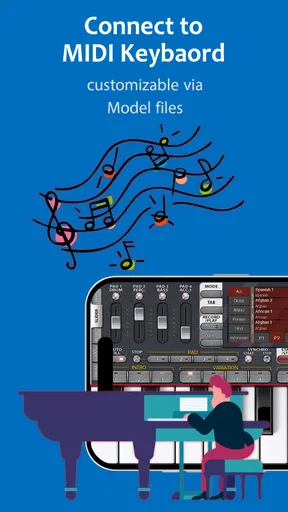
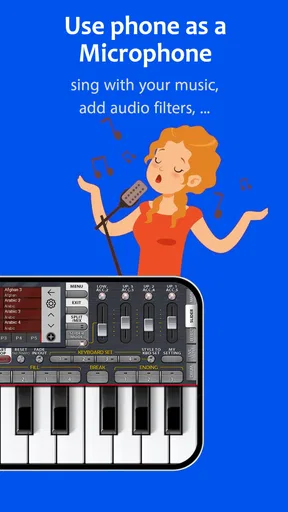
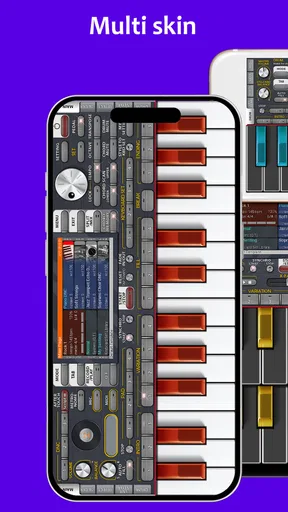
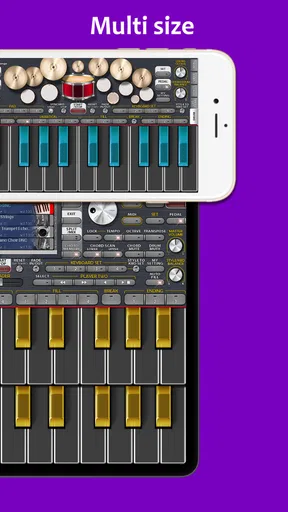
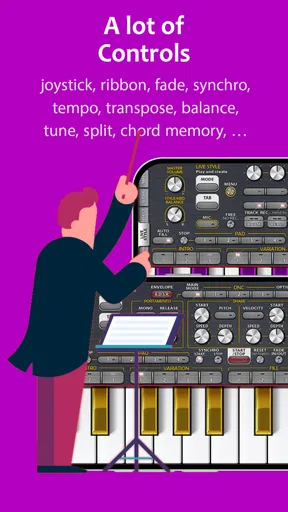
Our Review of ORG 24: Your Music
 Analysis by Appyee
I see ORG 24 as a quick route from an idea in your head to something you can actually play with. It turns a phone into a hands-on music-making space, and its appeal is less about replacing a full studio than making it easy to try a melody, tap out a beat, and explore sounds wherever you are. I’d recommend it most to curious beginners and casual players who enjoy experimenting; musicians who need a precise, desktop-style production workflow may want a more specialised tool.
A pocket studio with an approachable feel
Have you ever wanted to create your own beats on the go? Well, let me introduce you to ORG 24: Your Music, a nifty app available for both Android and iOS that transforms your phone into a mini music studio. I’ve been messing around with this app for a while, and let me tell you, it’s quite the experience!
The app comes from Sofeh Sunrise and sits in the music and audio category. It’s free to install, open to Everyone, and has built a substantial audience: it has a 4.4 average from around 722,000 ratings, with over 100 million installs. Those figures suggest it has broad appeal, though they don’t tell you whether its particular style of music making will suit you. I’d treat it as an invitation to try rather than a reason to expect a professional workstation in your pocket.
Getting to Know ORG 24
First things first, setting up ORG 24: Your Music is a breeze. You just download the app from your app store, and you’re good to go. The interface is quite intuitive, which is a huge plus, especially if you're just starting out with music creation apps. It didn’t take me long to figure out where everything was – the layout is pretty straightforward, and everything is neatly categorized.
The app offers a wide array of musical instruments and features. From a grand piano to a full drum kit, you can experiment with different sounds and rhythms to your heart’s content. What really stood out to me was the quality of the sound. The app delivers realistic audio, making you feel like you’re playing a real instrument. The sound quality is definitely top-notch.
The Creative Playground
One of the features that I found super exciting was the ability to layer different tracks. You can record a piano melody, add some drums, and maybe throw in a guitar riff for good measure. The app allows you to get creative and play around with different elements to make your music uniquely yours.
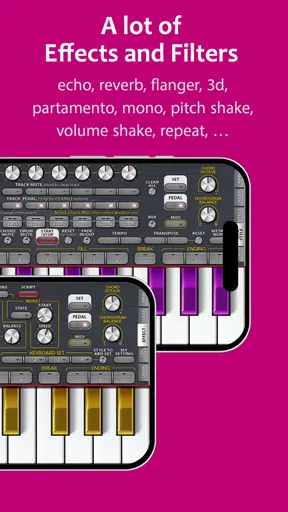
There’s also a range of effects you can apply to your music. Want to add a bit of reverb or maybe some echo? It’s all there at your fingertips. I had a blast experimenting with the various effects, and it’s amazing how a slight tweak can change the entire vibe of a track. Plus, if you’re a fan of electronic music, the app has plenty of synth sounds that can bring your tracks to life.
Making a loop into a useful sketch
A practical way to use the layering tools is to keep the first pass deliberately simple. I’d start with a short piano phrase, repeat it until the timing feels steady, then add a drum part only after the melody has a clear shape. That order makes it easier to hear whether the beat supports the idea or crowds it. If the result starts to feel busy, mute or remove one layer rather than reaching for another effect; a sparse sketch is often more useful than a crowded one when you return to it later.
Effects are best treated as finishing touches rather than a way to rescue an uncertain arrangement. I’d compare a part with and without reverb or echo at a similar volume, because a wetter sound can seem more impressive at first while making the melody less clear. For a phone-sized session, this kind of small A/B check is a helpful habit: it keeps the focus on the notes and rhythm, not just on the novelty of the sound.
Ease of Use
Now, I’m no professional musician, but I found the app quite user-friendly. It provides a detailed tutorial when you first open it, which is super helpful. Even if you’re a complete beginner, you’ll find yourself getting the hang of it pretty quickly. The controls are responsive, and I didn’t experience any lag, which is always a win in my book.
One of the things I enjoyed was the ability to save and share your creations easily. You can save your tracks in various formats and share them with friends, or even upload them to your favorite social media platforms. It’s a great way to get feedback or just show off your musical prowess.
A realistic place in a daily routine
Picture a quiet stretch during a commute or a short break between errands. You have a tune in mind but no instrument nearby. ORG 24 gives you a way to tap out the rhythm, try a keyboard line, and save a rough idea before it disappears. I’d use that moment for capturing a seed, not polishing a finished song: phone controls are convenient for quick exploration, but long sessions of detailed editing are harder to manage on a small screen.
For sharing, I’d make a habit of saving a version before experimenting further. That gives you a clean reference if a new layer or effect takes the sketch in the wrong direction. When sending a track to someone, choose the format and destination with the listener in mind; a quick social post is useful for feedback, while a saved file is better when you want to keep a version for later work. The app is most rewarding when each session has a modest goal, such as testing one groove or comparing two instrument sounds.
Where it fits among music apps
Compared with a basic piano app, ORG 24 is more inviting when you want to combine playing with beat-making and layered ideas. Compared with a full digital audio workstation, it is better approached as a compact sketchpad: it lowers the barrier to trying several musical parts, but a phone interface is not the easiest place to arrange a complicated production or make fine edits for a release-ready mix. If your main goal is learning keyboard notes, a focused piano-learning app may keep you on track; if you want detailed recording and mixing control, a dedicated production app is the more sensible choice.
The useful middle ground is its strength. You can move from a melody to a rhythmic accompaniment without switching immediately between separate instrument apps, which makes casual experimentation feel connected. But that flexibility can also tempt a beginner to browse sounds instead of practising timing or finishing a short idea. I’d set a small target before opening it—one melody, one beat, or one sound combination—so the range of options supports creativity rather than becoming a distraction.
Limitations and Considerations
While ORG 24: Your Music is packed with features, it’s worth mentioning that some of the more advanced tools require a premium upgrade. Depending on how serious you are about your music-making journey, this could be something to consider. However, the free version is quite generous and should suffice for most casual users.
In-app purchases range from $1.99 to $19.99 per item, so I’d explore the free experience first and only pay if a particular extra would change how you work. The current version is 2026.05.26, and it requires Android 7.0 or later. That makes checking your device’s compatibility a sensible first step if you’re installing it on an older phone. I also wouldn’t assume that a purchase is necessary just because an advanced option catches your eye; decide whether you have a recurring need for it rather than paying to satisfy one moment of curiosity.
Another aspect to keep in mind is that, like many apps, it does take up a fair bit of space on your device. So, make sure you’ve got enough storage before diving into your music-making adventure.
Who will get the most from it
I’d point a beginner toward ORG 24 if they want an inviting place to try playing and arranging without first learning a complicated studio interface. It also suits casual keyboard players who want a portable way to experiment with beats, or songwriters who need a quick musical notebook for capturing fragments. The tutorial helps ease the first session, while the range of instrument sounds gives you room to test an idea before deciding whether it deserves more work elsewhere.
I’d skip it if your priority is a structured course in music theory, a metronome-led practice plan, or a highly controlled recording and mixing setup. It is also less compelling if you only want to play piano and have no interest in beats, other instruments, or layered sketches; a simpler instrument app may feel more focused. The key question is whether you want an accessible creative playground or a specialist tool with a narrower, more technical purpose.
Final Thoughts
All in all, ORG 24: Your Music is an impressive app that offers a lot of potential for both budding musicians and seasoned pros. It’s fun, engaging, and most importantly, it allows you to express your creativity anytime, anywhere. Whether you’re looking to kill some time or seriously delve into music creation, this app has got you covered.
My recommendation is strongest for people who want to make quick musical sketches and enjoy trying combinations of piano, drums, and synth sounds. I’d temper the “seasoned pros” expectation: experienced musicians may enjoy it for inspiration, but anyone who depends on detailed editing should keep a more specialised production setup in the picture. That distinction is what makes the app easy to recommend without treating it as a one-size-fits-all studio.
If you’re interested in checking it out, you can download it directly from your app store. Who knows? This might just be the start of your next musical masterpiece!
Verdict
Strengths of ORG 24: Your Music
- Extensive music library with diverse genres.
- User-friendly interface for easy navigation.
- Offline playback for uninterrupted listening.
- Customizable playlists for personal touch.
- Regular updates with new content.
Limitations of ORG 24: Your Music
- In-app ads can be intrusive at times.
- Limited free features without subscription.
- Occasional crashes on older devices.
- Requires constant internet for streaming.
- Subscription cost is relatively high.
Similar Picks in This Category
View All
YouTube Music
Google LLC4.4

Samsung Music
Samsung Electronics Co., Ltd.3.8

Spotify: Music and Podcasts
Spotify AB4.3

JioSaavn - Music & Podcasts
Saavn Media Limited4.3

Lark Player:Music Player & MP3
Lark Player Studio - Music, MP3 & Video Player4.6

StarMaker: Sing Karaoke Songs
SKYWORK AI PTE. LTD.4.3
Frequently Asked Questions
What features does ORG 24: Your Music offer?
ORG 24: Your Music is packed with features for music enthusiasts. It includes a vast library of sounds, instruments, and effects to create unique compositions. Users can enjoy real-time recording, editing, and mixing. The app supports MIDI import/export and offers customizable interfaces for a personalized experience.
Is ORG 24: Your Music suitable for beginners?
Yes, ORG 24: Your Music caters to both beginners and seasoned musicians. The app provides intuitive controls and tutorials to help new users get started. With its user-friendly design, even those new to music production can quickly learn to create and edit tracks.
Does ORG 24: Your Music require an internet connection?
No, ORG 24: Your Music does not require a constant internet connection to function. Users can access most features offline, making it convenient for creating music anytime, anywhere. However, an internet connection is needed for downloading additional content or updates.
Can I use ORG 24: Your Music on multiple devices?
ORG 24: Your Music supports cross-platform use, allowing users to install the app on multiple Android or iOS devices. However, synchronization between devices may require an account login. Ensure to check if your purchases and settings are transferable between platforms.
What are the pros and cons of ORG 24: Your Music?
Pros include a comprehensive sound library, intuitive interface, and offline capabilities. It supports MIDI and offers real-time recording. However, some users might find the in-app purchases necessary for accessing premium features, and occasional updates may be required for optimal performance.
